
Alors On Danse AI Video · Alors On Danse AI Free: Is There a Free Version?
Looking for Alors On Danse AI free? This site does not offer free video generation. View real examples, understand paid generation and check pricing before buying.
Last updated:
Written and maintained by:Alors On Danse AI Video
No watermark · MP4 download
This website does not offer free AI video generation. You can view the examples without paying, but creating a new dance video from your own photos requires a paid purchase or sufficient purchased credits. Signing up does not unlock a free generation.
Check video pricing · Watch example videos
What does “Alors On Danse AI free” mean here?
If you searched for “alors on danse ai free”, you may be looking for a way to animate your photos without paying. On this site, browsing the guide and watching published examples are free. Submitting your own photos for AI video generation is a paid service. There is no free personal test video or free trial generation on this website.
This explanation describes our service only. It does not claim that every other AI video tool has the same pricing or free-trial policy.
See the effect before you pay
The images below are still frames from example videos published on this website. They show a studio duo setup: one subject at a keyboard and a partner beside them. These are examples to help you judge the style, not a promise that your photos will produce identical faces, movement or framing.
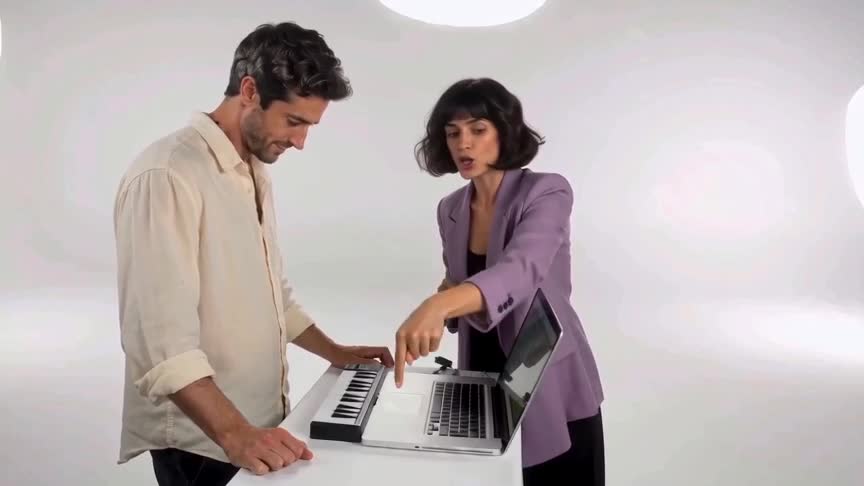
Human studio duo: a frame from the published example video.
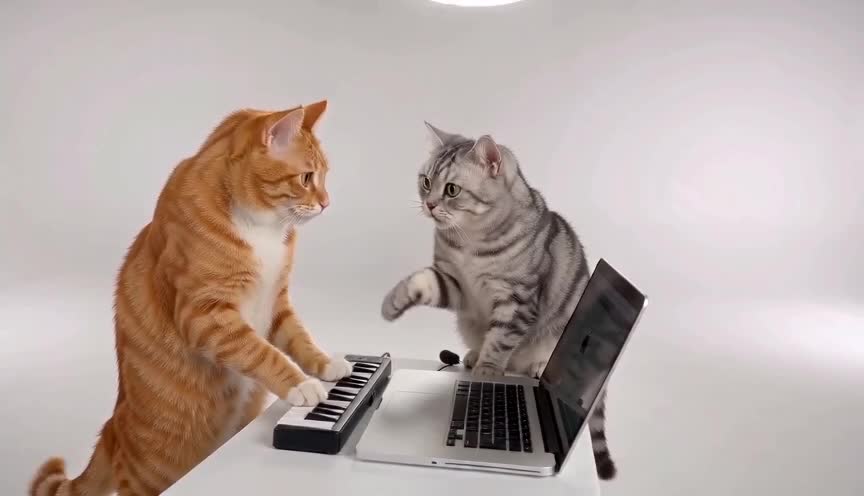
Cat studio duo: another published example of the template.
Play the full example videos with audio. Watching these published examples does not generate a personalized video or use a paid generation.
Why is video generation paid?
Creating a new video requires AI processing for your uploaded photos and the resulting sequence of frames. The service charges for that generation work. A preview of someone else's finished example is different from running a new AI generation with your own photos.
For current pack prices and purchase options, use the pricing page. Check the price and what is included before confirming payment; this article is not a checkout offer.
How to create your own video
- Watch the examples to decide whether the studio performance style fits your idea.
- Open the video maker and upload two clear photos you have permission to use.
- Review the available format and purchase details, then complete the paid checkout or use sufficient purchased credits.
- Save your private result link to check progress and download the finished video.
For a fuller walkthrough, read how to use the AI video maker. AI results can vary, so review your finished video before sharing it.
Questions about free access
Can I generate one video for free after signing up?
No. This website does not offer a free generation for creating an account. A new personalized video requires payment or sufficient purchased credits.
Can I watch the examples for free?
Yes. You can browse the example images and play the published example videos without buying a generation. Those examples are not generated from your own photos.
Can I generate first and only pay to download?
No. This website does not offer a free generation with payment deferred until download. Paid access is required to start your personalized generation.
Does “no free generation” mean every AI tool is paid?
No. This page explains this website's policy. If you compare other services, check their current free allowances, export limits and payment terms directly.
Ready to decide?
Compare paid video options, view all examples, or open the video maker. For questions about access or an existing purchase, contact support.
Quick answers
Do I need an account?
Guest purchases do not require an account. The $9.90 / 50-credit, $19.90 / 105-credit and $29.90 / 160-credit packs require sign-in. All are one-time purchases; credits never expire. After successful payment, you return to a private result page where generation starts. Keep that link to check progress and download your video. You can optionally enter an email on that page to receive the finished video link; leaving it blank does not stop generation. Signed-in users can also use My videos.
What photos should I upload?
Use two separate photos, one subject per photo. The first becomes the keyboard player and the second the partner. JPG, PNG or WebP; up to 10 MB each.
What file will I receive?
A 13-second, 480p MP4 in 16:9 landscape, without a watermark. Each generation uses 20 credits. Original electronic accompaniment is included, not the original song recording. Faces and movement may vary.
Create your studio duo
Create your studio duo